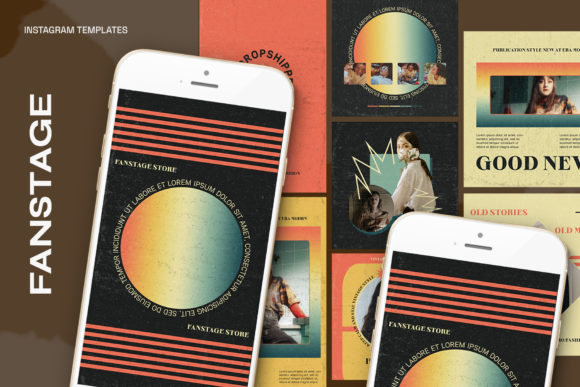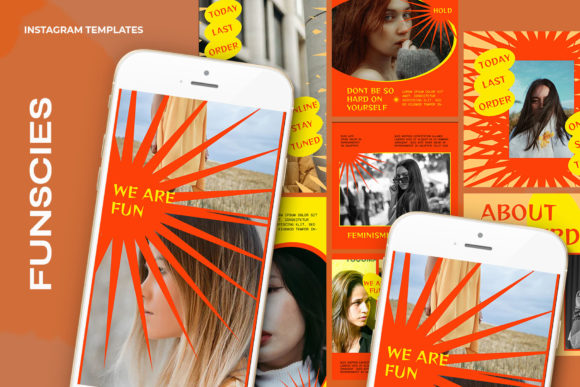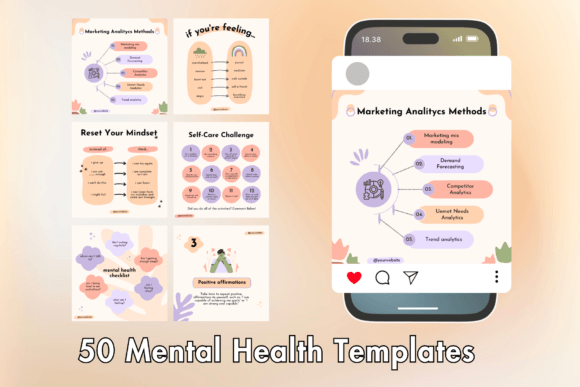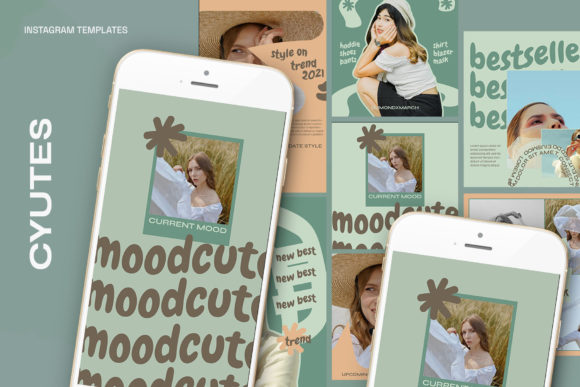
Effortless Instagram Aesthetics with Cyutes Templates
In the relentless scroll of the digital feed, visual consistency is no longer just a preference; it is a requirement for growth. However, achieving a professional, cohesive look often requires time and software skills that many creators and small business owners simply do not have. This is where the utility of high-quality design assets becomes undeniable. The Cyutes Instagram Templates offer a bridge between raw creativity and professional execution, providing a robust foundation for anyone looking to elevate their social media presence without starting from scratch.
The Technical Foundation: Why Quality Matters
Before diving into the creative applications, it is essential to understand the technical specifications that make these templates a professional tool rather than a basic filter. The Cyutes package comes as a 1.13 PSD file, ensuring compatibility with Adobe Photoshop across various versions. The files are optimized for high-fidelity output, utilizing 300 DPI and RGB color mode. This combination is crucial for maintaining color accuracy and sharpness, whether the content is viewed on a high-resolution smartphone screen or repurposed for other digital marketing materials.
The templates are designed with versatility in mind, offering two distinct dimensions: 1200 x 1200 px for the classic Instagram square grid and 1920 x 1080 px for landscape or story formats. This dual sizing allows for a seamless workflow when creating campaigns that need to span across different placements on the platform.
Streamlining the Workflow with Smart Objects
The most significant barrier to entry for many non-designers is the complexity of layer management. Cyutes addresses this through the implementation of Smart Objects. The process is designed to be intuitive:
- Locate the Layer: Double-click on the image layer icon within the designated image group.
- Insert Content: Place your own photography or graphics into the active window.
- Save and Close: Simply hit CTRL + S (or Command + S on Mac) to save.
Once saved, the template automatically applies the necessary masks, filters, and distortions to fit your image into the design frame perfectly. This feature alone transforms the editing process from a technical hurdle into a creative playground.
Creative Applications for Diverse Audiences
The true value of the Cyutes Instagram Templates lies in their adaptability. Because the text is fully editable using the standard Text Tool, the designs can be repurposed for virtually any industry or personal brand.
For Entrepreneurs and Small Business Owners
Brand consistency builds trust. For a small business, these templates can serve as the backbone of a content calendar. Instead of hiring a designer for every single post, business owners can maintain a unified aesthetic. For example, a local bakery could use the square templates to showcase daily specials. By using the Smart Object feature to insert high-quality photos of pastries and editing the text to list prices or ingredients, they create a professional catalog look. The 300 DPI resolution ensures that even if the image is cropped or zoomed in, the quality remains pristine.
For Influencers and Content Creators
Content creators often struggle with the "blank canvas" syndrome. These templates provide a starting point that can be adapted to fit a specific mood or "vibe." A travel blogger, for instance, could utilize the 1920 x 1080 px landscape templates to post panoramic destination shots. By overlaying editable text with travel tips or location names, the post becomes not just a photo, but a piece of micro-content that informs the audience while maintaining a curated aesthetic.
For Educators and Coaches
Information delivery requires clarity. Educators and life coaches can leverage the clean layouts of Cyutes to share knowledge. A fitness coach might use the templates to create "Tip Tuesday" graphics. The workflow would involve inserting a photo of the exercise via the Smart Object and typing the step-by-step instructions in the text layers. This approach turns complex information into digestible, shareable content that saves followers from reading long captions.
Maintaining Visual Integrity and Originality
While templates provide a shortcut to design, the challenge often lies in avoiding a generic look. To keep results original, users should focus on the interplay between the image and the typography.
Color Theory and Branding
Since the text is editable, users can adjust the font colors to match their specific brand palette. If a user's brand relies on muted earth tones, they can change the template's default text colors to match. This subtle adjustment ensures that the template feels like a custom creation rather than a pre-made asset. Furthermore, the RGB color mode allows for vibrant, screen-optimized colors that pop on mobile devices.
Typography as a Voice
The fonts chosen within the template convey a message before the words are even read. Users are encouraged to experiment with the text tool to find fonts that speak to their specific audience. A modern tech startup might prefer clean sans-serifs, while a vintage clothing shop might swap in elegant serifs. Because the layers are organized, swapping fonts is a non-destructive process that allows for easy A/B testing of different visual styles.
Practical Tips for an Efficient Process
To get the most out of the Cyutes Instagram Templates, adopting an organized workflow is beneficial. Here are some practical recommendations for integrating these assets into a creative routine:
- Batch Processing: Since the Smart Object update process is fast (Double Click > Insert > CTRL S), users can prepare multiple posts in a single session. Prepare ten photos, open the template, and cycle through the images to create a week's worth of content in minutes.
- Grid Planning: Utilize the 1200 x 1200 px templates specifically for the main profile grid. This ensures that when a visitor views the profile page, the individual tiles create a cohesive mosaic, as the aspect ratios are consistent.
- Layer Management: While the templates are easy to use, keeping the layers organized helps if you decide to make complex edits later. Group your own added elements separately from the template's original structure.
- Resolution Check: Always export the final image at the highest quality settings. Since the source file is 300 DPI, there is no loss of quality when rendering the final JPEG or PNG for upload.
Beyond Instagram: Repurposing the Assets
Although named "Instagram Templates," the utility of these files extends beyond the platform. The high-resolution nature of the PSD files makes them suitable for other digital and print applications.
- Pinterest Pins: The vertical or square formats can be easily adapted for Pinterest, which favors high-quality visual assets.
- Blog Headers: Creators can use the designs to create featured images for blog posts, ensuring visual continuity between the social media promotion and the website content.
- Digital Lookbooks: For fashion or interior design brands, compiling a series of template-based images can create a digital lookbook or portfolio presentation.
By viewing the Cyutes Instagram Templates not just as a set of files, but as a modular design system, users can unlock a more efficient and visually consistent approach to digital content creation. The combination of technical robustness (Smart Objects, 300 DPI) and creative flexibility (editable text, dual dimensions) makes this a practical asset for anyone serious about their visual communication.